Infographic Element Collection 5: Design Made Simple
Creating professional visuals often feels like a balancing act between creativity and technical skill. For many business owners, educators, and content creators, the biggest hurdle isn't the idea itself but finding the right assets to bring that idea to life. This is where Infographic Element Collection 5 serves as a practical bridge. Rather than starting from a blank canvas or struggling with complex drawing tools, this resource provides a curated library of pre-designed components specifically built for business projects. It transforms abstract data and concepts into clear, engaging visual narratives without requiring advanced graphic design expertise.
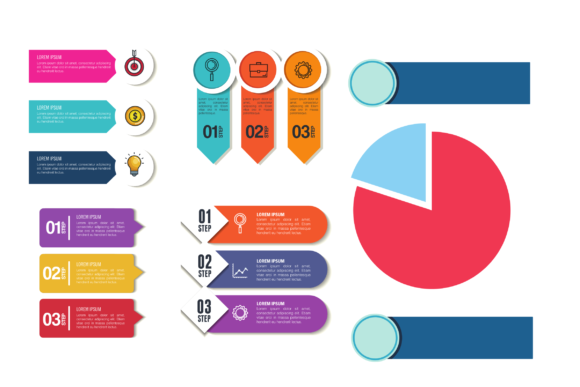
At its core, this collection is more than just a set of clip art. It is a comprehensive toolkit designed for versatility across multiple formats. Whether you are designing a corporate flyer, a web banner, a presentation slide, or printed advertising materials, these elements adapt to your needs. The inclusion of AI, EPS, and SVG file formats ensures that you have total control over every detail. You can resize graphics infinitely without losing quality, change colors to match your brand identity perfectly, and rearrange components to fit unique layouts. This flexibility makes it an essential asset for anyone looking to maintain a consistent visual standard across different media channels.
Why Format Versatility Matters for Your Projects
Understanding file formats is crucial when selecting design resources, yet it is often overlooked by beginners. Infographic Element Collection 5 addresses this by providing industry-standard vector formats. The AI (Adobe Illustrator) files offer full editability for professionals who want to manipulate anchor points and layers. For those using alternative software like CorelDRAW, Affinity Designer, or Inkscape, the EPS format guarantees compatibility while preserving vector integrity. Meanwhile, SVG files are invaluable for digital-first projects, allowing for crisp rendering on websites and apps regardless of screen resolution.
This multi-format approach solves a common pain point: pixelation. Raster images like JPEGs or PNGs become blurry when enlarged, which ruins the professional look of a large banner or print advertisement. By utilizing the vector-based assets in this collection, you ensure that your flyers and banners remain sharp whether they are viewed on a smartphone or printed on a billboard. For small business owners managing their own marketing, this technical assurance saves time and prevents costly reprinting errors caused by low-resolution artwork.
Practical Applications Across Different Contexts
The true value of any design asset lies in how easily it integrates into real-world workflows. Infographic Element Collection 5 supports a wide range of personal and professional goals through adaptable use cases.
- Marketing and Advertising: Create cohesive campaign materials where the same visual language appears on social media posts, email newsletters, and physical handouts. The modular nature of the elements allows you to build custom diagrams that explain product features or service benefits clearly.
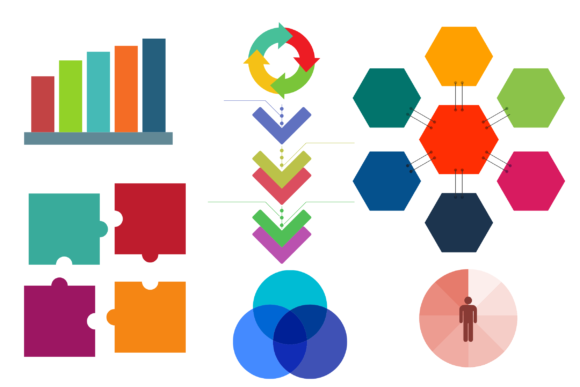
- Corporate Reporting: Transform dry annual reports or quarterly reviews into compelling stories. Use timeline elements to show company growth, pie charts for budget breakdowns, or process flows to illustrate operational improvements. Visual data retention is significantly higher than text alone.
- Educational Content: Teachers and trainers can simplify complex topics for students. Whether explaining a scientific cycle, historical timeline, or mathematical concept, these structured visuals help learners grasp information faster. The clean aesthetic avoids distracting clutter, keeping focus on the lesson.
- Freelance Portfolios: Service providers can use these elements to create professional case study layouts. Presenting client results with polished infographics demonstrates attention to detail and adds perceived value to your services.
Solving Common Design Challenges for Non-Designers
Many entrepreneurs and marketers face the "blank page syndrome" when tasked with creating visual content. Hiring a professional designer for every small project is often budget-prohibitive, while DIY attempts can look amateurish. Infographic Element Collection 5 mitigates this risk by providing professionally crafted building blocks. You do not need to understand color theory or composition rules from scratch because the individual elements are already balanced and aesthetically pleasing.
Consider a local bakery owner wanting to promote a new loyalty program. Instead of writing a paragraph explaining the tiers, they could assemble a simple three-step vertical flowchart using elements from this collection. The result is instant comprehension for customers and a more attractive flyer layout. Similarly, a blogger writing about productivity hacks can replace bullet points with icon-driven lists that break up text and improve readability. These practical applications demonstrate how the collection serves as a force multiplier for communication efforts.
Key Considerations Before You Start Designing
While having access to high-quality assets is beneficial, successful implementation requires some forethought. Before diving into Infographic Element Collection 5, consider the following factors to maximize your results.
- Software Compatibility: Ensure you have access to vector editing software. While SVGs can be used directly in web builders and some presentation tools, editing AI or EPS files typically requires Adobe Illustrator or similar alternatives. If you lack this software, verify if the collection includes PDF previews or rasterized versions for basic use.
- Brand Consistency: Having thousands of elements can be overwhelming. Select a specific subset that aligns with your brand’s tone. Mixing too many disparate styles within a single project can create visual noise. Stick to a cohesive color palette and line weight throughout your flyer or banner to maintain professionalism.
- Licensing Terms: Always review the usage rights associated with the collection. Confirm whether the license covers commercial use, especially if you are creating client work or selling products featuring these designs. Understanding these boundaries protects your business legally.
- Content Hierarchy: Remember that elements support content; they don't replace it. Avoid overcrowding your design. White space is just as important as the graphics themselves. Use the collection to highlight key messages, not to fill empty space arbitrarily.
Enhancing Communication Through Visual Structure
Effective communication is about reducing cognitive load for your audience. When someone picks up your flyer or lands on your website, they should immediately understand the core message. Infographic Element Collection 5 excels here by offering structured layouts that guide the viewer's eye. Arrows, connectors, numbered badges, and segmented containers naturally suggest order and progression.
For instance, when presenting a comparison between two services, a side-by-side template eliminates ambiguity. When outlining a five-step onboarding process, a horizontal timeline sets clear expectations. These structural cues are baked into the design assets, meaning you inherit good information architecture simply by choosing the right component. This is particularly valuable for educators and trainers who must distill complex curricula into digestible modules. The visual scaffolding provided by these elements helps structure lessons logically, making learning more efficient and enjoyable.
Ultimately, investing in versatile design resources is an investment in clarity. Whether you are a seasoned marketer refining a campaign or a hobbyist creating a community newsletter, the ability to visualize ideas effectively sets your work apart. Infographic Element Collection 5 removes the technical barriers to entry, allowing you to focus on what matters most: delivering your message with impact and precision. By leveraging these scalable, editable, and professionally designed assets, you elevate the quality of your output while streamlining your creative workflow.