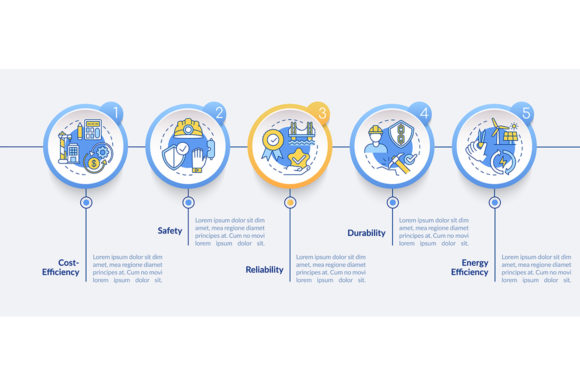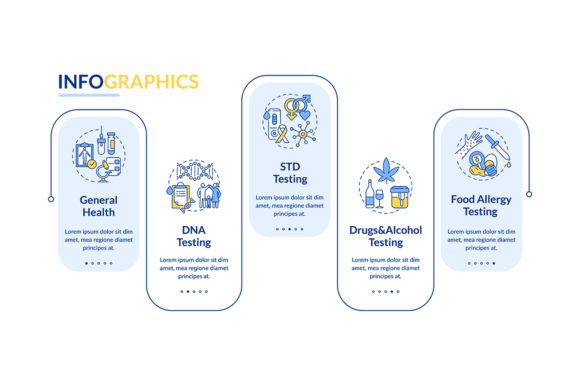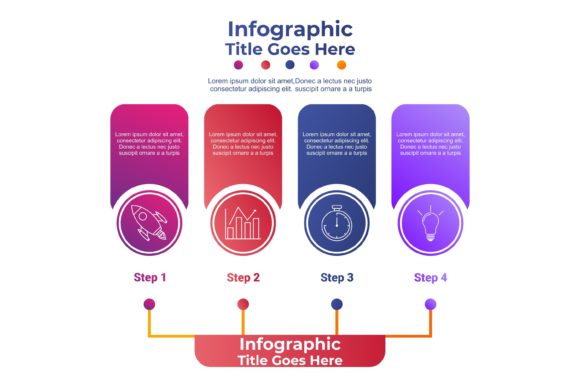
IC Infographic Panel Four Option Design Guide
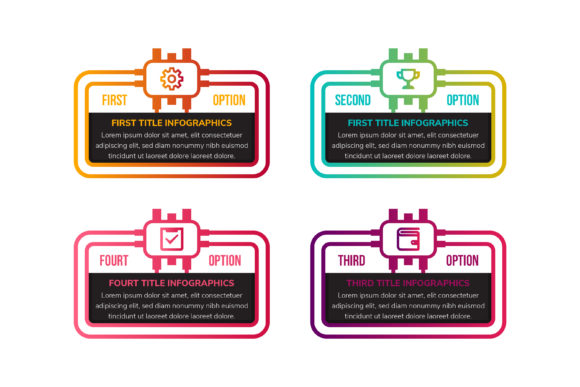
Visualizing complex technical workflows often requires a balance between aesthetic appeal and structural clarity. The IC Infographic Panel Four Option template addresses this specific challenge by merging the visual language of integrated circuits with modern business presentation standards. This resource is not merely a collection of shapes; it is a strategic communication tool designed for professionals who need to explain four distinct steps, options, or processes without overwhelming their audience. By utilizing the metaphor of a microcircuit, designers can imply connectivity, precision, and technological advancement while maintaining a clean, isolated white background that ensures readability across various media formats.
Technical Specifications and Vector Advantages
When selecting graphic resources for professional use, resolution and scalability are non-negotiable factors. This template is engineered at 300dpi, ensuring that whether you are printing a large-format poster for a tech conference or embedding a digital asset in a web article, the lines remain crisp and the gradients smooth. The fact that all graphics are 100% vector-based provides significant operational flexibility. Unlike raster images that pixelate when resized, vector elements allow you to scale the infographic from a small icon size to a billboard dimension without any loss of quality.
The file structure is meticulously organized, which saves considerable time during the editing process. Users receive AI, EPS, JPG, and SVG formats, covering the entire spectrum of design software and web implementation needs. The editable text, shapes, and colors mean you are not locked into the original designer’s vision. You can adjust the gradient hues to match your corporate brand guidelines or modify the rectangular containers to fit longer descriptions. This level of customization transforms a generic template into a bespoke asset that aligns perfectly with your specific project requirements.
Leveraging the Integrated Circuit Metaphor
The choice of an integrated circuit concept for a four-step infographic is deliberate and psychologically effective. In the minds of most viewers, chips and microcircuits represent logic, efficiency, and interconnected systems. When you present information using this visual framework, you subtly reinforce the idea that your process is streamlined and technologically sound. This is particularly valuable for SaaS companies, engineering firms, and educational institutions teaching STEM subjects. The flowchart style inherent in the design guides the viewer’s eye naturally from one stage to the next, reducing cognitive load and improving information retention.
However, this aesthetic is versatile enough to extend beyond pure technology sectors. Marketing agencies can use the "circuit" layout to demonstrate how different campaign elements connect to drive results. Business consultants might employ it to illustrate organizational restructuring or supply chain logistics. The key is to treat the IC elements as symbolic connectors rather than literal representations. By doing so, you maintain the modern, high-tech feel while applying it to abstract concepts like strategy, planning, or creative development.
Practical Applications Across Industries
The utility of the IC Infographic Panel Four Option extends across a wide variety of professional and creative environments. Understanding where and how to deploy this asset can maximize its return on investment for your design workflow.
- Corporate Presentations: Replace bullet points with visual sequences when explaining quarterly goals or product roadmaps. The four-option layout is perfect for SWOT analyses or comparing service tiers.
- Educational Materials: Teachers and trainers can use the diagram to break down complex scientific processes, coding logic, or historical timelines into digestible segments.
- Web Design and UX: Use the SVG version to create interactive feature sections on landing pages. The isolated white background makes it easy to integrate into existing site layouts without clashing with CSS styles.
- Print Collateral: The high-resolution 300dpi specification makes this ideal for brochures, annual reports, and trade show banners where print quality is paramount.
- Social Media Content: Crop individual panels to create a carousel post series, or use the full composition as a standalone educational graphic for LinkedIn or Instagram.
Enhancing Communication Through Visual Hierarchy
Effective infographics do more than decorate; they organize. This template utilizes strong visual hierarchy through its use of gradient colors and distinct iconography. The contrast between the vibrant gradients and the clean white background draws immediate attention to the core data points. When customizing the template, consider the psychological impact of your color choices. Blue and green gradients often convey trust and growth, making them suitable for financial or health-related workflows, while warmer tones might suggest innovation or urgency.
The inclusion of dedicated icon spaces within each of the four options serves as an anchor for quick comprehension. Icons act as visual shorthand, allowing viewers to grasp the gist of each step before reading the detailed text. Ensure that the icons you select or create maintain the same stylistic weight as the original template to preserve visual harmony. Mixing line art with filled glyphs, or using inconsistent stroke widths, can undermine the professional polish that this vector set provides.
Implementation Best Practices
To get the most out of this graphic resource, approach the editing process with a focus on content clarity. While the template offers extensive customization, restraint is often the hallmark of superior design. Keep text concise; the rectangular shapes are designed for summaries and key takeaways, not paragraphs. If you find yourself shrinking font sizes to fit copy, it is a sign that the content needs editing, not that the shape needs stretching.
Consider the end medium when finalizing your export settings. For web use, the SVG format is superior because it remains sharp on retina displays and can be styled with CSS if needed. For print, ensure your color profile is set to CMYK within the AI or EPS file to prevent unexpected color shifts during production. Always test your modified infographic at actual size before publishing or printing to verify legibility. What looks clear on a 27-inch monitor may become unreadable when scaled down for a mobile screen or printed on a standard flyer.
Why Quality Assets Matter for Professional Branding
In a digital landscape saturated with generic stock imagery, using well-organized, high-quality vector assets signals professionalism. The IC Infographic Panel Four Option demonstrates an attention to detail that reflects positively on your brand. It shows that you value precision and have invested in tools that enhance rather than detract from your message. Whether you are a freelancer delivering a client project or an internal team updating company documentation, the consistency and polish provided by this template contribute to a cohesive visual identity.
Furthermore, the time savings associated with a pre-structured, editable layout cannot be overstated. Building a balanced four-step circuit diagram from scratch requires hours of alignment, path creation, and color testing. Starting with a professionally designed foundation allows you to redirect that energy toward refining your messaging and strategy. This efficiency is crucial for marketers and creators working under tight deadlines who still demand high-caliber output.
Ultimately, this infographic template serves as a bridge between technical complexity and accessible communication. By combining the functional aspects of a flowchart with the aesthetic appeal of modern gradient design, it empowers users to tell compelling stories about processes, progress, and plans. Whether used for a website, a presentation, or a printed guide, it provides a reliable, scalable, and visually engaging framework for conveying information effectively.