Infographic Template V.5: Editable Vector Design
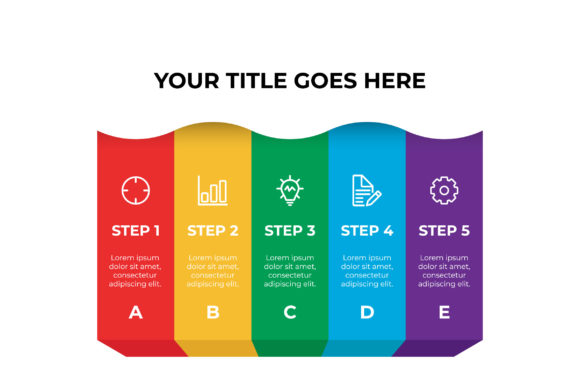
Visual communication has become the cornerstone of effective digital strategy, yet creating professional-grade graphics often requires significant time and specialized design skills. Infographic Template V.5 bridges this gap by providing a structured, aesthetically balanced framework that allows creators to focus on content rather than layout mechanics. This template is not merely a static image; it is a comprehensive design system built for flexibility. By utilizing a 16:9 aspect ratio and fully editable vector architecture, it serves as a versatile foundation for presentations, social media content, and educational materials. The inclusion of Illustrator CC and EPS 10 files ensures that whether you are a seasoned graphic designer or a marketing manager with basic design knowledge, you can adapt the visual language to fit your specific narrative without compromising quality.
Technical Specifications and File Compatibility
Understanding what is inside the package is crucial for workflow integration. Infographic Template V.5 is delivered with three distinct file types designed to cover various stages of the production process. The primary working file is the Illustrator CC file, which retains all native layer structures, text editability, and vector scalability. This is where the heavy lifting occurs, allowing for color adjustments, typography changes, and element repositioning with zero loss of fidelity.
For users operating in legacy environments or collaborating with teams using older software versions, the EPS 10 file provides essential backward compatibility. EPS 10 is a widely accepted standard in professional printing and cross-platform design workflows, ensuring that the vector data remains intact even if the recipient does not have the latest Creative Cloud subscription. Finally, the Preview JPEG acts as an immediate visual reference. This high-resolution raster image allows you to verify the layout and color scheme before opening resource-heavy vector applications, streamlining the selection and approval process.
The Strategic Advantage of 16:9 Aspect Ratio
The decision to format Infographic Template V.5 in a 16:9 aspect ratio is intentional and highly practical. Unlike vertical infographics that are optimized solely for Pinterest or mobile scrolling, the widescreen format aligns perfectly with modern display standards. This makes the template exceptionally useful for:
- Presentation Slides: Fits seamlessly into PowerPoint, Keynote, and Google Slides without cropping or awkward white space.
- Video Content: Serves as ideal B-roll, title cards, or explainer backgrounds for YouTube and corporate training videos.
- Digital Signage: Matches the native resolution of most monitors and television displays used in offices and retail environments.
- Web Embeds: Provides a cinematic feel for blog headers and featured images that command attention above the fold.
This versatility means a single asset created in Infographic Template V.5 can be repurposed across multiple channels, significantly improving return on investment for content creation efforts.
Practical Applications Across Industries
The true value of a vector template lies in its adaptability. Professionals across diverse sectors can leverage Infographic Template V.5 to solve specific communication challenges. For marketers and entrepreneurs, the template offers a polished way to present quarterly results, market research data, or product comparison charts. The clean lines and organized hierarchy prevent data overload, guiding the viewer’s eye through complex information logically.
In educational settings, educators and trainers can transform dry lesson plans into engaging visual aids. The editable text fields allow for quick updates to curriculum content, while the vector graphics help illustrate abstract concepts that are difficult to convey through speech alone. Similarly, bloggers and publishers benefit from the template’s ability to break up long-form text. A well-placed infographic increases dwell time and shareability, signaling to search engines that the content provides substantial value.
For freelancers and agencies, Infographic Template V.5 acts as a force multiplier. Instead of billing hours for custom layout design, you can allocate time to strategy and copywriting. The template provides a consistent visual style that can be branded to match client guidelines instantly, ensuring deliverables look bespoke rather than generic.
Maximizing Efficiency Through Editable Vector Assets
One of the most significant pain points in graphic design is the inability to modify source files. Raster-based templates often require recreating elements from scratch if the text length changes or the color palette shifts. Because Infographic Template V.5 is built entirely with vectors, every shape, line, and icon is mathematically defined and infinitely adjustable.
This editability extends beyond simple color swaps. You can resize individual components without pixelation, rearrange sections to accommodate more or less content, and swap out placeholder text with your own messaging while maintaining typographic harmony. For non-designers, this lowers the barrier to entry. You do not need to understand bezier curves or anchor points to make meaningful changes; you simply need to know how to use the Type Tool and Selection Tool in Illustrator. This democratization of design empowers team members to create their own assets without bottlenecking the creative department.
Evaluating Quality and Implementation Best Practices
When selecting a template like Infographic Template V.5, it is important to look beyond the preview image. High-quality vector templates exhibit specific characteristics that distinguish them from inferior alternatives. Check for organized layer naming conventions within the Illustrator file; this indicates a professional build that will save you frustration during editing. Ensure that text is not outlined, as outlined text cannot be edited without retyping. Verify that the color swatches are set up globally, allowing for one-click brand updates across the entire artboard.
To get the most out of this package, consider the following implementation strategies:
- Establish Brand Guidelines First: Before opening the file, define your color codes and font pairings. Applying these systematically prevents the template from looking disjointed.
- Maintain Visual Hierarchy: The template is designed with balance in mind. When adding content, respect the negative space. Crowding the 16:9 canvas defeats the purpose of using a structured layout.
- Export for Intent: Use the AI file for print and large-format outputs. Export optimized SVGs for web use to maintain crispness on retina displays. Use PNGs with transparency for overlaying on video or colored backgrounds.
- Customize Beyond Color: While changing colors is easy, swapping icons or adjusting chart proportions to reflect accurate data adds authenticity. Avoid using default stock imagery within the template; replace placeholders with relevant photography or custom illustrations to enhance credibility.
Enhancing Communication and User Experience
Ultimately, Infographic Template V.5 is a tool for clarity. In an era of information fatigue, audiences appreciate content that respects their time and cognitive load. A well-executed infographic reduces friction, making complex ideas accessible and memorable. By providing a professional structure, this template helps creators avoid common design pitfalls such as poor contrast, inconsistent alignment, and cluttered composition.
The combination of industry-standard file formats, a universally compatible aspect ratio, and deep editability makes this package a reliable asset for any visual communicator. Whether you are preparing a pitch deck for investors, designing a syllabus for students, or creating viral content for social media, the foundation provided here supports both creative expression and strategic objectives. Investing in high-quality vector resources like this is not just about aesthetics; it is about building a scalable, efficient workflow that produces consistent, high-impact results.